Mostrando entradas con la etiqueta testing. Mostrar todas las entradas

sábado, 7 de agosto de 2021

MX 21 Beta 1!

 Wow!  I have been so busy that I did not realize MX Linux had its version 21 (Wildflower) Beta 1 released a few days ago.  I am downloading it right now to give it a test drive.  Will it run on my moody Dell laptop?  I really hope so!


 UPDATE 1:  The 32 bit live did not run on my Dell Inspiron 15 3000!  I will try with the 64 bit ISO...

 UPDATE 2:  Total success!  Everything works out of the box!  Even VLC, that gave me headaches on Ubuntu works smoothly.  I tested the beta on a Dell Inspiron 14 3000 as well and both performed equally.

What's next?  Installing and testing, at least on my 15 3000.

Thank you, MX team!  You always surprise me!


jueves, 24 de octubre de 2019

A Windows 10 Update Broke the Office's Printer (and MX-19 is the Patito Feo?)

Two weeks ago, some colleagues reported that the office's printer was not working.  I did not pay much attention to it because I seldom use that printer and I assumed that they had broken the hardware.

However, later on I learned that it was not a hardware problem.  The issue was with the software.  Indeed, my brother Mechatotoro could print seamlessly using OpenMandriva LX.  I tried then one of my MX-18 Live USB systems and could also print. 


At the end, we realized that it had been a Windows 10 update.  I tried to fix the issue, but since nobody has administrative rights, nothing could be done.  When my colleagues asked my brother why he could use the printer and how that problem could be prevented, he said "You can do it by using Linux."

Since my colleagues are not willing to use an OS that works, they will have to wait until someone comes to fix what was functional but that Windows graciously broke.

In the meantime, I guess I will download MX-19 "Patito Feo" and see what's new.  I want to install it on my laptop, too. Then, I'll make a live USB clone of my system to take it everywhere I go.  Let the Patito Feo fly majestically!

sábado, 26 de enero de 2019

NomadBSD Is Here!

Well, well, I managed to install NomadBSD into a flashdrive.  Back in time, I wanted to test FreeBSD, but I knew nothing of Linux and the installation process of any BSD version was beyond my capabilities.

Apparently, my time with Tux has taught me more than I thought.  I could install  NomadBSD although the process was a bit different from my regular Linux installations.  My biggest problem was to find a pendrive with enough space to store the OS (a 4 GB one was not enough).

After that, I booted NomadBSD on my ZaReason Alto laptop, which came with Linux preinstalled.

OK, the setup process was a bit long.  Some of the screens were beyond my understanding, but the default choice was suggested.  I went for that in those cases.

At the end, I got a beautiful BSD system that somehow reminded me of a combination of MacOS and antiX.

Enabling the WiFi was not that hard, and everything seemed to work fine.

My only problem was that the system ran slowly.  Very slowly.  I wonder if that's because of the pendrive, but live Linux distros run really fast on that machine...

I guess I need to try NomadBSD on other laptops and, if the issue persists, I'll have to investigate what happened.

domingo, 29 de abril de 2018

Pisi Linux Is Out!

Pisi Linux 2.0 was released a few days ago, and I did not realize about it.  Too bad, because I really liked this distribution and was fairly active in the community before everything went totally Turkish.

Well, it's time to download this little kitten, the heir of the old Pardus.  I want to see the result from the hard work of Pisi developers (they are a small team), and I have high expectations.

I can't wait for my download to finish (it's 1.7 GB).

lunes, 29 de enero de 2018

Fun with Video, DVDs, and More

These past weeks I've been using an interesting list of tools for video editing, DVD authoring, DVD burning, and more.

It all started when I wanted to make some videos.  I learned how to use Openshot.

Then, I used HandBrake to add subtitles and then transcode the video I had made.

Later, DVDStyler was in charge of creating the DVD.

I had a problem burning it, though.  DVDStyler told me everything was fine, but the DVD would not play. 

Thus, I used that application to make an .iso image instead.  My plan was to burn it using something different.  I chose K3B to burn the iso image into a DVD.

The disc worked on my laptop, using VLC to play the video.  I still have to play it on a real DVD player, though.

I am glad that when I hit a wall, there was always another tool to help me continue going.


viernes, 4 de agosto de 2017

Nothing New...

I've been literally swamped.

I downloaded Pardus Community 4.0, but I haven't tried it yet.  Hopefully, I'll get the time to do it soon.

My systems keep working without issues.  Thus, I've kept reading the news about Linux. Interestingly enough, Net Marketshare reported that Linux hit another milestone last year.  Good!

On the other hand, Windows 10 keeps doing what it does.  I took my USB pendrive to the office of a journal because I wanted to submit an article for publication but their Windows 10 computer decided to render me pendrive totally useless.  Way to go!

Also, they replaced my office's computer with a brand new Windows 10 one.  I asked for permission to boot Linux from my pendrive and the IT guy had a horrible time taming UEFI to let me do it.  Is this really progress?

At least now I can use the new computer without giving Microsoft rights over my privacy.

martes, 20 de diciembre de 2016

MX-16: Persistence and Frugality could Bite...

I made a MX-16 (64 bit) bootable USB pendrive to test it.

MX gets better and better!  Since I was swamped with work at the time of the development, I could not help much with testing or translating.

Unfortunately, the translation in my language has evident errors and needs more polishing, but that is not a show stopper, is it?

MX has actually gone a long way from the way its first release (MX-14) was.  I am amazed at the growing collection of handy tools its new MX comes with.  The devs are indeed working hard to simplify tasks without dumbing the distro down.  I do appreciate that!

The first big change I noticed was the GRUB Menu.  Before, I had to press F2 to change the language and the timezone.  Thus, I pressed F2 when I saw the menu... but nothing happened.  I went to advanced settings but there was nothing there about locales.

Thus, I booted the distro in English.  Checked the manual and it did say that you had to press F2.  I guess there was a change that the documentation team could not have ready for the release.  Or maybe I did something wrong.

To try again, I restarted the laptop.  No, F2 didn't do anything. Wondering what to do next, I realized there was another booting option for personalizing the boot up.  I tried that one and bingo!  There I found the options to change language and time zones.

But then, I was asked about persistence and frugality.

I had a vague idea of what persistence is, but frugal installs were to me the same as an amargasaurus: I had no idea what they were!  :P

Still, the options looked quite tempting.  Trying to be witty, I chose the options that looked less dangerous to me.  After all, I was not going to install anything yet.

The distro booted and I played with it to my heart's content.  After that, I turned off the laptop and removed the pendrive.

This guy could have helped me!
My surprise was when I turned the laptop on again.  As soon as GRUB2 loaded, I was welcomed by a loud beeping and the bootloader took a long time to start.  That happened every time I turned the machine on, but the beeping was shortened by pressing F2 or enter, apparently.  Booting with the pendrive did not cause the obnoxious sound.

After repairing GRUB, messing with its files, reinstalling it, googling for possible solutions, and forum checking to no avail, I decided to boot the pendrive and hitting "e" to edit the booting options.  Then, I removed the part of persistence.

That took care of the problem.  Boy!  What a relief! :P

Next time, I'll do my homework before acting cocky.  After all, I am an eternal newbie in the world of Linux!

By the way, for those of you who wish to know more about persistence and frugal installs, here you have some information:

1-  Persistence (courtesy of Pendrivelinux)

2-  Frugal installs (courtesy of Puppy Linux)

domingo, 18 de diciembre de 2016

Metamorphosis with MX-16!!

MX-16 was released some days ago.  I just downloaded the 64-bit version and right now I am downloading the 32 bit one.  Then, I'll make the live USBs from the ISOs.

What's different this time?  MX comes with a lot of custom tools:

MX Original Apps to make common tasks easier

Live

Create Live USB
Remaster tool
Snapshot

Maintenance

Boot repair
Flash manager
Menu editor
User manager

Setup

Broadcom manager
Codecs installer
Default look
Panel orientation
Select sound
System sounds
Welcome

Software

Apt notifier
Check Apt GPG
Debian Backports installer
Package installer
Repo manager
Test Repo installer

Utilities

Find shares
Switch user
USB unmounter

One-click Extras with Package Installer

Children: Preschool, Primary, etc.
Graphics: ImageMagik, Inkscape, etc.
Network: Skype, Dropbox, etc.
Office: GnuCash, Adobe Reader, Calibre, etc.
System: KDE, LXDE, MATE, etc.
Audio: Audacity, DeaDBeeF, Pithos, etc.
Video: DVDStyler, MPlayer, OpenShot, etc

Advanced LiveUSB

Many new Live boot options
Run in Live mode in 10 languages
Easy Live-remaster to make a custom LiveUSB or your own version to distribute as an ISO
Three forms of Live persistence (i.e., what files are kept on the LiveUSB)
Easy "frugal" installation option
Simple creation of custom snapshots (as easy as: add/remove packages, change settings, take a snapshot)
Automatic check of LiveUSB file systems for integrity
Live kernel installer
Live usb maker

I am eager to install and test this new release!

viernes, 25 de noviembre de 2016

MX-16 Metamorphosis RC1 Is Out!!

This is the release announcement by Anticapitalista:

Ahead of schedule, MX-16 release candidate 1 is available for further testing.
We have quashed many bugs and added improvements since the first public-beta1.
eg Horizontal panel now defaults to the bottom rather than the top.
The dev team hopes that, with additional feedback, the final should be ready very soon.
Please help us by testing and reporting any issues that crop up.

Get it here:https://sourceforge.net/projects/antix-linux/files/Testing/MX-16/

Torrents here:

64 bit - http://linuxtracker.org/index.php?page=torrent-details&id=1aea41cd87e786fe332c5c524e1336c33f035c03

32 bit - http://linuxtracker.org/index.php?page=torrent-details&id=ab64a00e3d97d4f1bfd0def28acb735b8c86317f

It is built on the reliable and stable Debian Jessie (8.6) with extra enhancements from the antiX live system and up to date applications provided by the MX Linux packagers.
Just like previous versions of MX, this release defaults to sysVinit.

Available in 32 and 64 bit.
The 32 bit version ships with 2 stable 3.16 Debian kernels (pae and non-pae), while
the 64 bit comes with the more recent Debian backports 4.7 kernel to cater for newer hardware.
All kernels have been patched against the Dirty COW exploit.

Both iso files weigh in at around 1.2GB in size.

What does MX Linux ship with?

Applications:
* Xfce4.12 is the desktop environment.
* Latest Firefox 50 for browsing and Thunderbird 45.5.0 for email.
* VLC 2.2.4 caters for videos and Clementine 1.3.1 for playing and managing your music.
* Full LibreOffice 5.2.2 suite
* Shotwell 0.24.1 digital photo organizer
* Pepper Flash Player - browser plugin
* Chinese and Japanese fonts included on the iso
* gimp 2.8.18
* grub-customizer 5.0.6
* gscan2pdf 1.5.1-1 GUI to produce PDFs or DjVus from scanned documents
* mx-clocky attractive desktop-agnostic analog clock
* mx-debian-backports-installer
* openjdk-8
* samba shares
* smtube - watch youtube videos without using a browser - ideal for low-powered laptops.
* Security: Passwords and Keys 3.14.0

Further improvements and enhancements to running Live from a usb stick or frugally from a hard drive.
New! - live-kernel-upgrader - as it says, upgrade the kernel and remaster a running Live system
live-usb-maker - new cli tool to install a full-featured live environment to USB device that boots legacy and UEFI!

martes, 19 de enero de 2016

GalPon MiniNo 3.0 Queiles: Beta 1 released!

Great!  The first beta release of GalPon MiniNo 3.0 (Queiles) is out!

What's in it?

It comes with a a couple of handy tools.  For example, a backup tool called Cronopete and the well-known driver tool inxi.

The iso is 1.6 GB, and can be downloaded  from the announcement page.


sábado, 10 de enero de 2015

PicarOS Diego 2014

I finally replaced my PicarOS Diego Revision C with PicarOS Diego 2014.  They made quite a lot of changes!  I could even set up the desktop cube on it!

So far, I've found two issues.  While they are not show-stoppers, they could be a bit annoying:

1.  VLC does not seem to show soft subtitles.
     So far, the only way to correct this problem is upgrading it to a newer version.  I'll have to do that later.

2.  The volume always starts lower than 100%.

I'll keep testing it.  Let me say it again: if you are interested in an education-oriented distro, I think this is the best one!

domingo, 12 de octubre de 2014

Busy Days...

Lately, I've been very busy with my work and personal projects.  Still, I managed to download and burn PicarOS Diego 2014 and openmamba Rolling Release 20141008 (64 bits).

Interestingly enough, the live CD of openmamba is too big to fit on a CD.  I needed a DVD for it.  The first thing I noticed was that the cute mamba logo (it resembled an "S" before) now looks like an "O".  Or was it because I was running the rolling version?  That circular new mamba rolled as soon as I booted the system!

I haven't been able to test openmamba much, but so far I'm very pleased with this little known Italian distro.  Unfortunately, the liveCD does not have much software to try.  I have to download the live DVD or install the basic CD and then download the packages I want.  Since I don't have much time, I'll try downloading the full DVD later.

PicarOS, on its part, is doing better and better.  Now they added a trashbin and a minilauncher of several applications to the desktop.  They got rid of Poisson Rouge.  The developers added a lot of interesting features to this children-oriented distro, but I'll have to try them and test them when I get more time in my hands.  As I see it, that will have to wait for a couple of months...

Boy!  So much to do and so little time!

domingo, 18 de mayo de 2014

Elive 2.2.2 Beta Is Here!

Yay!  Elive has a new beta release: 2.2.2!

It finally comes with my long awaited feature: an installer!

Gotta download it ASAP to start testing it.

The release anouncement is here.

viernes, 21 de marzo de 2014

An Encounter with Pisi Linux 1.0 RC2

I downloaded and installed the second release candidate of Pisi Linux, the distro that kept the heritage of oldschool Pardus.

Right now, I'm typing this entry on Pisi.  I've been testing it from the eye of a user whose Linux experience and knowledge are far from abundant.

I really liked the installer.  It is polished and while installing, you get to know lots of information about Pisi. 

My only problem during the installation was--as it used to be with old Pardus--when choosing the partitions.  Yali (the installer) wants a clean partition to perform the installation and I wanted to overwrite my old Pisi partition directly.  I had to ask Yali to delete the partition first and then to use it for the RC2.

Soon enough, I was greeted by Kaptan, who let me choose my initial desktop configuration.  That worked flawlessly.

By the way, I noticed that this version's PiSi (the package manager from which the distro took its definitive name) is faster than the one of my previous version.  It has more packages, too.

I did find some bugs and glitches, though.

The first one is a bug affecting the Spanish installation of the system.  Fortunately, Yoyo Fernández, former Anka-Team member, had found a solution for it with this command:
 
sudo pisi ur && sudo pisi it glibc-locales-es

I also discovered some KDE glitches that are harder to describe, so I'd better use images:
Kwin's rotating cube at times shows a rendition issue resulting in a number of transparent triangular areas on the top and bottom sides.  Also, the desktop name is sometimes covered by a white line.  This, however, doesn't seem to happen when Oxygen themes are being used.

If an image is used as background for the cube, it will not be remembered after logging out of the session. Instead of the image, the background will be the selected color (black by default)

When used Ghost window decorations, a maximized window will show a color rendering issue on the top side of such window when active.  This does not seem to happen with other window decorations.
Another problem I noticed was sound on VLC.  VLC would not play sound at all for certain .mp4 files and some .mkv files did not sound well.  Still, that is not a big deal because Gnome Mplayer and SMplayer, the two players that Pisi comes with, did play the problematic files without hassles.

As it can be seen, Pisi is doing very well. I am very satisfied with this distro so far.  No crashes, no ugly surprises, no serious problems.

Many thanks to the Anka-Team for their great effort in making this little distro what it is now.

martes, 18 de marzo de 2014

Pisi Linux 1 Goes RC2 at Last!!

Yes, Pisi Linux is moving forward.  Here is the entry from Pisi Linux World:


Hello to all,
the version Pisi Linux 1.0 RC2 Erdinc (Release Candidate 2) is finally finished.


After a long and difficult process to eliminate errors and to update software
we are now able to produce a new release candidate to Present.

Of course we can not say it's perfect,
but by your feedback, we can make it perfect then.

 
With on board are:
Pisi, Çomar, Yalı, Kaptan, Panda, Management Tools
(Package Manager, Service Manager, Firewall Manager, User Manager)

Linux Kernel: 3.12.13
KDE: 4.12.3
Mate: 1.6.2
Mozilla Firefox: 27.0
LibreOffice: 4.2.1.1
GIMP: 2.8.10
Calligra Suite: 2.7.5
Clementine: 1.2.1
Qt: 4.8.5
glibc: 2.18
binutils: 2.32.2
coreutils: 8.21
and 6000 other packages.

 
Pisi Linux is translated into 14 languages​​:
English, Dutch, German, Russian, Spanish, Turkish, French, Hungarian, Italian, Croatian, Swedish, Ukrainian, Polish and Portuguese (Brazilian).
Translations into other languages ​​will follow.

 
System Requirements:
64-bit processors
At least 2 GB of memory and 12 GB of disk space (during installation disk partitioning step "Manual partitioning" option is recommended)
Create a kitty for Linux swap space is recommended. (Can be done during setup, you use twice the amount of memory is recommended.)

 
An upgrade from Pisi Linux 1.0 RC1 to RC2 version, here the safest method to update;
using the console commands:
sudo pisi ur
sudo pisi rm espeak - ignore-dep
sudo pisi up
sudo pisi it espeak
restart

Finally the version of Pisi Linux 1.0 Rc2 able to see this dream together ... We're dedicated to Gültekin Erdinc
To download it go to the Download Menu
Greetings to you all and thank you for your patience.

The Anka Team
 
What can I say?  It's DOWNLOAD TIME!!!!

miércoles, 19 de junio de 2013

Pisi Linux Beta: A Real-life Test

I waited eagerly for the beta release of Pisi Linux.  As soon as it was out, I downloaded it and installed it into a partition my ZaReason's Alto 4330 had.

The installation took about 25 minutes.  Once it was over, I noticed a few bugs.  For example, Pisi's Grub 2 installed into the MBR, not into the partition I chose.  Well, that's not a show stopper to me.  Besides, Pisi's Grub is very well designed.  Anyway, I booted my brand new Linux kitten to see what it looked like and what it was capable of.

Those who used old-school Pardus will feel familiar with Pisi.  Kaptan greets you and lets you choose your first-time settings.  Yes, it was great to see Kaptan again!

I checked my Wifi connection first.  Pisi picked it without hiccups.  Good!  Youtube videos also played out of the box.  

"Pisi looks solid and feels stable," I said to myself in my office.  "Too bad I have to prepare a presentation for my class later.  If I had more time, I'd like to test this little distro more seriously,"  I thought.

Then, another of my crazy ideas struck me.  I have made other quite interesting Linux tests in the past. One is here, another is here, and another is here.  Now that I see them in retrospective, they seem a bit too risky, but Linux did not let me down then.

"Alright, let's do our work with Pisi today,"  I decided.  First, I needed to create a multimedia presentation.  Then, I'd have to use it along with two videos in my class.  That would give me a fairly good idea of Pisi's performance in real life.

I must say that entrusting your work to an OS that is not yet finished is a bit too much.  Remember: this Pisi release is only for testing; it is not meant for production!

I created my presentation with LibreOffice's Impress.  No issues there.  Everything worked normally.  Actually, the OS theme made me forget I was using a beta release!
The videos played fine, too.  That was great!

However, when I plugged in a multimedia projector to test it before class, I found a rough edge: Pisi thought the projector was another monitor, so it presented a totally different output for it.  In other words, my computer's screen had a desktop other than the one the projector displayed.

Fortunately, that was easy to solve: I went to System Preferences / Screen and there I ticked "Unify outputs."  That took care of the problem.

I taught my class without any other issue.  Not bad for a testing release of a distro that is seeing the sun for the first time! :)

Today, I've spent my whole day using Pisi.  I've even managed to customize it a bit! :P
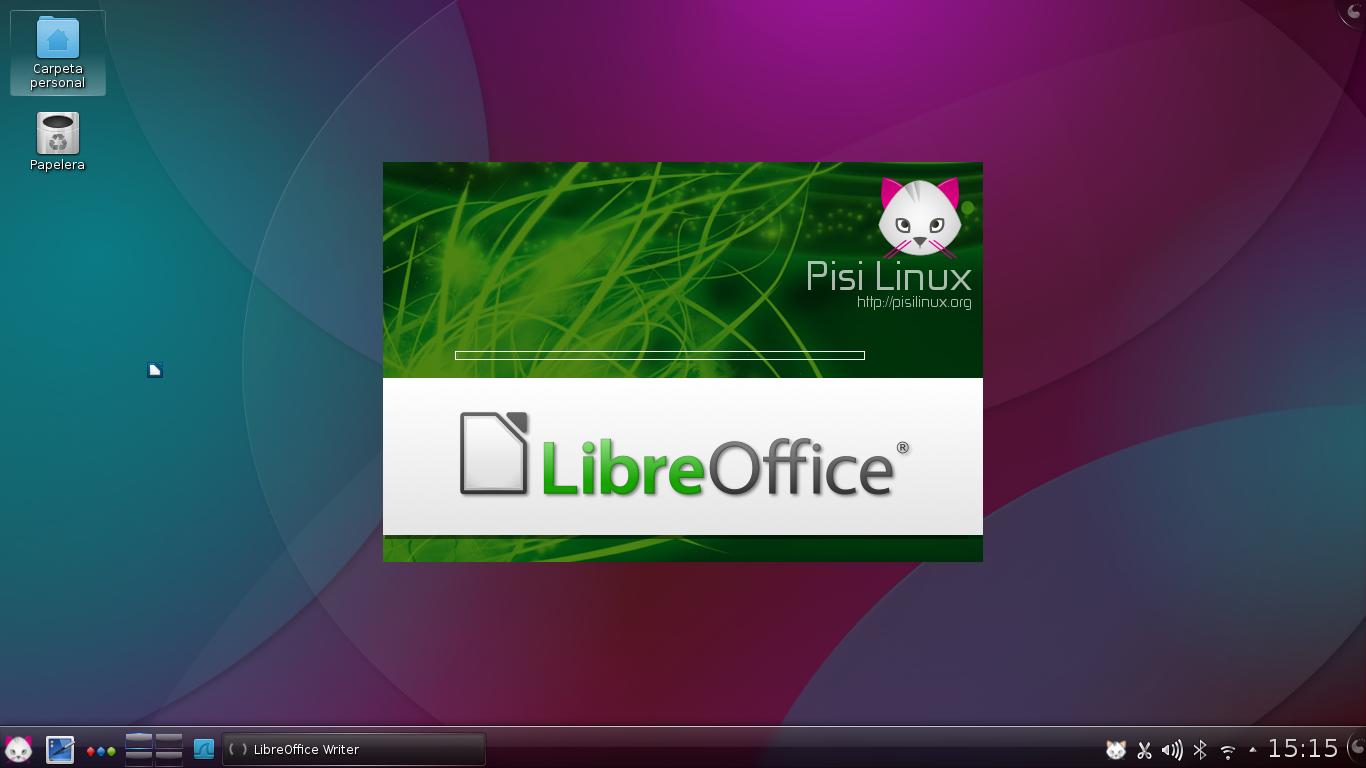
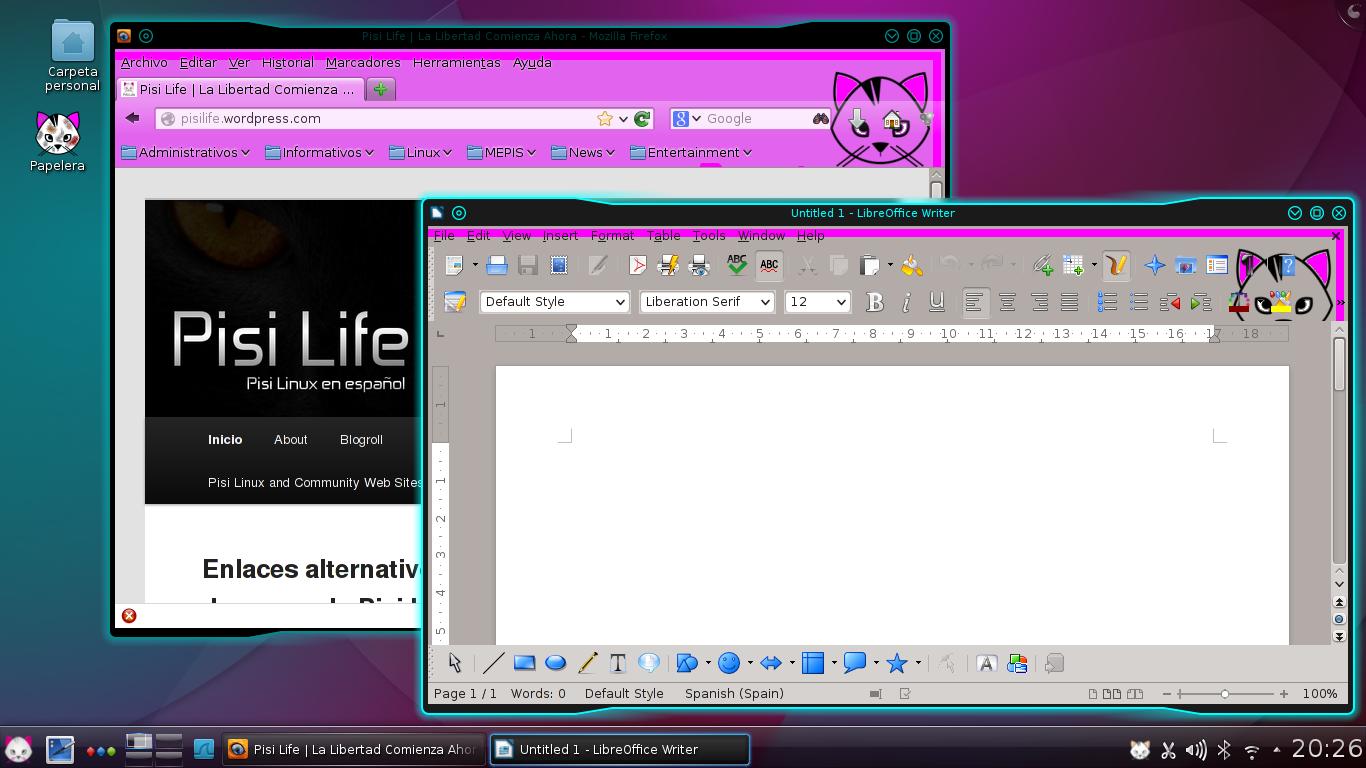
I customized the Recycling Bin, Firefox, LibreOffice, and the theme of my windows
This is a cat army!
Since Pisi's server is down, I haven't got the chance to check its repositories.  That will have to wait for now.

I must say that I'm pretty impressed with Pisi.  Congratulations to all those who worked hard to make their dream true with this new distro!
 

viernes, 8 de febrero de 2013

antiX-13 Beta 1 Is on the Loose!

This weekend, I'll be testing antiX-13, which has released its first beta!


Needless to say, this release is intended for testing purposes, and it is available for 32 bit and for 64 bit computers in two separate .iso files of around 370 MB.

With about 550 Mb of base memory, it took me 15 seconds to go from Grub to antiX desktop.  Not bad!!

As it can be seen, antiX-13 takes 10% of that RAM when idle.  Launching Iceweasel and the game Connectagram takes 27%. 


Also, it is important to notice that these isos are of antiX base, which means you won't find lots of applications stuffed into the live CD.  These are for people who want a usable, basic system with some software included, but who would like to add their own packages later.  In fact, if you check the "Office" category, you'll see just a phone notebook and Ted rtf text processor.  That's it.

What if you want to add GIMP or LibreOffice?  And what if you prefer another desktop environment?

antiX makes it easier for you with its metapackage-installer.  You'll find it if you go to "applications" and then to "accessories":
As you can see, using the metapackage-installer, you can download and install different kinds of software to your liking. 

Another important detail is that antiX repo has several kernels available:

3.6.11 (the kernel antiX-13 uses)
3.6.11-gnu
3.7.5
3.7.5-gnu

I have to test this release a bit further.  I installed antiX M11 into a Toshiba Mini NB515 and its owner just loves it.


martes, 18 de diciembre de 2012

A Quick Note about Pardus 2012

The Pardus community worldwide is sad because of what happened to Pardus.de.  In spite of this, Pardus users still have faith in Pardus Anka, the project that came to life as a fork of the Turkish distro, but which actually keeps most of Pardus actual inner identity. 

What happened to the original Pardus? Is it dead yet?

I remember going into the forum of a Linux distro I don't use some time ago.  They said that Pardus was almost dead. That may be true...but it is still debatable.  Let's remember that now Pardus (the original) is based on Debian.  People call it Pardus Debian.

I am running a RC version of Pardus Debian.  It works extremely well, even more considering it is not a finished product.  Two days ago, I updated it and noticed a few changes.  For example, when it starts, now you can read "Pardus 2012."  It is taking shape little by little.

If anyone wants to try it out, the downloads are here.

viernes, 22 de junio de 2012

Testing Linux in a Serious Environment: My Thesis Dissertation

Some people still believe that Linux and other Open Source software cannot be taken seriously because, in their view, "FOSS is unprofessional."

To find out if that was true, I have tested both Linux and Open Office in rather serious environments, basically placing my head as part of the bet. To finish my degree in Education, I depended solely on Mepis Linux 8.5 and Open Office, which ran on my far-from-powerful netbook Toshiba NB-100. You can find my review of that experience here.

Two days ago, I tested Mepis 11 and Libre Office in another environment that I think my readers will consider quite serious: my final dissertation for my Master's degree. Again, I entrusted my head to a Linux distribution and to a free/libre office suite. Why? Because I really wanted to see it for myself: Was Free Software up to the challenge?

Now, some of the variables of the experiment:

1. My Toshiba NB-100 did not come preloaded with Mepis 11. It was "designed for Windows XP" but I turned it into a 6-OS-booting monster.

2. My NB-100 barely has 1 GB of RAM.

3. Mechatotoro was controlling the presentation (he is not a regular Mepis user).

4. I made the Libre Office presentation on my desktop computer and loaded it to my netbook.

5. The presentation had plenty of 3-D transitions and KDE desktop effects were enabled.

My dissertation began.  Mepis did not have any obstacles to use the projector and I had no unnecessary delays or surprises.  It was as if my modest Toshiba NB-100 were actually designed for Linux!  Too bad that Surface, the new Microsoft tablet (designed for Windows 8) did not do as well during its introduction.  People are talking about that already!


LibreOffice handled the presentation flawlessly.  The effects were neat and did not cause my system to freeze:


  This is the effect "Rochade" in action:


Here you have "Turning Circles":


This one is "Turn":

Once again I exposed myself to public embarrassment if either Linux or Libre Office had failed but instead I got praised.  Someone told me later that the presentation was smooth and it helped my audience and committee follow my dissertation without any issues or interruptions.  That's the goal of using technology in these circumstances, right?

In conclusion, Linux and Open Source Software were used again in a serious, professional environment and their performance was excellent.  I've seen XP, Vista and 7 failing during presentations and thus embarrassing the speaker.  However, some still insist that it is Linux the one that is not professional.  What a paradox!  


lunes, 16 de abril de 2012

I Want to Try Linux but...


Lately, I've been talking to several people who want to give Linux a try but they lack some confidence or have heard several myths about this OS. That reminds me of myself back in the times prior to my migration. Thus, I guess other computer users out there may be in the same situation. If you are one of them, feel free to keep reading. You might find useful information here. This is for simple, plain computer users who feel like giving Linux a chance.

I want to try Linux but...

1. ...I don't know much about computers.

If this is your case, then you have little to fear. The basics are pretty much the same in most operating systems so, even if you don't know much about computers, you can start learning right off your knowledge base. As with most first learning experiences, it is easier if you get the help of a friend who has more experience with Linux in the case you feel uncertain.


2. ...I am afraid Linux will break my system.

Relax! Nothing will happen to your computer if you boot Linux from a handy live CD. What's a live CD? It's a CD (although there are live DVDs or also pendrives) that lets you boot the complete operating system without even touching your hard drive. Yes, you do not have to install anything to test Linux if you boot a live CD. How can you recognize a live CD? Well, it won't ask you to install anything during the boot up. Keep in mind that since the OS is working off the CD drive, it will work a bit more slowly than if it were installed.


3. ...I am afraid I won't be able to find the programs I need.

If you use quite specialized software, this may be true. However, if you are in the wide category of computer users who mostly need an office suite, e-mail programs, chat clients, Web browsers, multimedia software, and occasionally play a simple game, you would not find a great difference using Linux. In fact, just today a coworker told me how she easily converted documents to .pdf using Libre Office on Linux while on Windows she had been lost trying to find, install, and use different programs for the same task. No, she is not a computer guru. She is just a plain computer user.


4. ...I am confused by all this "distro" / distribution thing.

Well, think of it as going to the supermarket. Do you prefer to see only one kind of product there? Probably not: the more variety, the better, right? Now, imagine you go to a supermarket and while you are seeing its great variety of products, someone told you: "all this is for you to try...FOR FREE!" Would you say "No, thanks. This supermarket is confusing. Give me only one brand of X product...and if possible, charge me as much as you like."?

Linux distributions (or "distros") are there for you to try as many as you want...and for you to choose the one (or ones...nobody said you have to keep only one!) that you prefer. Who would be afraid of that? Go ahead and grab as many as you want, but pay attention: choose the actual final releases. Many people complain that Linux is full of bugs and problems but they don't realize that they have downloaded and installed a test release. If you see the words "alpha," "beta," or the code "RC" plus a number from 1 to 4 (RC2, for example), that is a release still in its developmental stage. Do not install that one unless you want to actually contribute with the development of that Linux distribution.

5. ...I've heard horror stories of how Linux deletes Windows when you install it.

Actually, the Operating System that dislikes to share the hard drive is Windows. Linux does not delete anything unless you choose to install it on top of your Windows install. If you have tried Linux and want to install it, make sure to read the manual first. If you want to keep your other operating system, you must first understand what partitioning hard drives is. However, you can use live CDs indefinitely. I know a person who literally destroyed his Windows system (by himself...Linux had nothing to do with it!) I then gave him a Mepis Linux live CD and he has kept using it without installing it until this very day because he does not want to pay to get his system fixed. And he is neither a computer geek nor a a Linux fan, by the way!

-------

The bottom line is that your computer will not explode for trying Linux. It is safe and stable...more than some would believe or want. As far as you don't start deleting anything yourself, you will not lose your files when trying a live CD and once you turn your computer off, it would be as if nothing had happened. Again, do not forget to read the documentation of your distro if you decide to install: It will save you some trouble and most of the times, it will tell you where to ask in case you have problems. Also, try to get the guidance of a person who uses Linux and you will see that there's lots you can do with this safe and versatile operating system.

(image taken from http://tecnosafeorg.blogspot.com/)