With the Covid-19 situation, many educators and students have been sent home and, with little or no training at all, they must keep their academic activities. I am one of those professors.
While my workload has increased easily three times, I consider myself fortunate because I do not have to face the Windows-related issues that many of my colleagues seem to struggle with.
Also, I can say that the army of tools that Free Software offers has helped me to cope with my working needs. Thus, I want to make a list of all the tools I have been using lately (in no particular order):
1. LibreOffice
2. Galculator
3. Kolourpaint
4. Gimp
5. Openshot
6. Inkscape (and its Sozi extension!)
7. Firefox
8. Audacity
9. Showfoto
10. Kdenlive
11. VLC
12. Openshot
13. Guvcview
14. RecordMyDesktop
15. HandBrake
And I still have many more to explore! Of course, all of them on top of my Linux system.
This list makes me see appreciate the great work of the developers and communities of each one of those great tools. I know that because of the pandemic, our pockets have also been affected but, if you can, please consider making a small donation to any of the projects that have had your back all this time. :)

Mostrando entradas con la etiqueta education. Mostrar todas las entradas
Mostrando entradas con la etiqueta education. Mostrar todas las entradas
domingo, 3 de mayo de 2020

martes, 25 de abril de 2017
PicarOS Diego 2017 Is Out?
What a surprise! I learned that there was a release of PicarOS 2017 this month!
If you don't know PicarOS and you like GNU/Linux and have children, you're missing a jewel. This is a GalPon MiniNO version made especially for children and with education in mind. In my opinion, it is the most complete Linux distro for kids, and it is extremely attractive for them. Children love it!
The best part is that it is a fully featured system. I like to use it myself, and anytime I do, people get interested in this beautiful distro. Too bad it receives so little attention from the media.
 In terms of new features, I noticed that now it comes with the option of a 32-bit kernel, PAE, or a 64-bit one. Nice!
To be honest, I did not see any extreme changes in PicarOS 2017, except that the minino-compiz feature seems to be missing in the menus. Still, you can launch it manually.

I have to keep testing it to see what else is new. Thanks, PicarOS developers!!

If you don't know PicarOS and you like GNU/Linux and have children, you're missing a jewel. This is a GalPon MiniNO version made especially for children and with education in mind. In my opinion, it is the most complete Linux distro for kids, and it is extremely attractive for them. Children love it!
The best part is that it is a fully featured system. I like to use it myself, and anytime I do, people get interested in this beautiful distro. Too bad it receives so little attention from the media.

 |
| The window buttons tell you you are running Compiz |
To be honest, I did not see any extreme changes in PicarOS 2017, except that the minino-compiz feature seems to be missing in the menus. Still, you can launch it manually.

I have to keep testing it to see what else is new. Thanks, PicarOS developers!!

miércoles, 2 de noviembre de 2016
Open Source Is not an Unknown Concept Anymore
I remember when, several years ago, Mechatotoro and I started to use Libre Office and moved to .odt for all our word processing needs. Some colleagues did try to force Microsoft file formats on us in spite of the university's approval of ODF.
But slowly, more people have come to understand that open source is here to stay and that closed source is neither better nor safer. At the end, most of the complaints by closed-source defenders can be reduced to the following:
1- They are used to X and don't want to learn anything new.
2- They want to use open source but are locked into closed source.
3- They think closed source is better because X has more features. [Which, by the way, most people don't know about or don't really care for because they don't use such features and probably never will.]
4- They had a negative past experience with open source and did not care to update their knowledge.
5- They don't really know what they are talking about but pretend they do.
6- They simply prefer closed source as a personal choice.
In spite of all that, I've noticed that more students know about ODF and some of them are using Libre Office themselves nowadays.
An interesting case happened a few days ago: a student who wants me to direct her thesis is interested in using Twine, an open source tool for writing interactive texts.
The world is changing. Many just don't really see how it is doing it.
But slowly, more people have come to understand that open source is here to stay and that closed source is neither better nor safer. At the end, most of the complaints by closed-source defenders can be reduced to the following:
1- They are used to X and don't want to learn anything new.
2- They want to use open source but are locked into closed source.
3- They think closed source is better because X has more features. [Which, by the way, most people don't know about or don't really care for because they don't use such features and probably never will.]
4- They had a negative past experience with open source and did not care to update their knowledge.
5- They don't really know what they are talking about but pretend they do.
6- They simply prefer closed source as a personal choice.
In spite of all that, I've noticed that more students know about ODF and some of them are using Libre Office themselves nowadays.
An interesting case happened a few days ago: a student who wants me to direct her thesis is interested in using Twine, an open source tool for writing interactive texts.
The world is changing. Many just don't really see how it is doing it.
miércoles, 14 de septiembre de 2016
Three Concepts Many Tech Journalists don't Seem to Understand
When I read articles about technology, I notice that journalists seem to confuse some concepts, take others for granted or are plainly biased about them. These three seem to be the most common examples:
1. Computer malware
 Whenever they write about an Apple virus or a Linux one, they are very specific about the OS. However, when it is a Windows problem, journalists usually call it "PC" or "computer" malware. Why not calling it what it really is, a Windows-related issue? This complaint is not new; although it has been repeated over and over, these tech journalists don't seem to learn.
2. Linux vs commercial software
Without getting into the GNU/Linux naming debate, it seems that many journalists make the distinction between Linux and commercial software. Does that mean Linux is not commercial software? There is nothing in free software preventing it from being commercial. In fact, many businesses are carrying out their commercial activities thanks to Linux. Why don't these journalists also say "restricted" or "limited" software to refer to proprietary software, just to be fair?
3. Fragmentation
I've read this word a lot of times in tech articles when writers are talking about Linux. However, isn't Windows "fragmented" as well? How many versions of Windows 7, 8, and 10 are there? What about MS Office? Is Windows 10, with its versions Home, Pro, Enterprise, Enterprise LTSB, Education, and mobile not fragmented by the same principle? Who can defend the idea that MS Office 2016 with its multiple versions:
I really wish tech journalists were a bit less biased (or at least more precise) whenever they publish their articles. Maybe I'm asking for too much.
Are there any other frequent misconceptions in tech articles I missed? Feel free to tell me in your comments. Thanks!
1. Computer malware
Whenever they write about an Apple virus or a Linux one, they are very specific about the OS. However, when it is a Windows problem, journalists usually call it "PC" or "computer" malware. Why not calling it what it really is, a Windows-related issue? This complaint is not new; although it has been repeated over and over, these tech journalists don't seem to learn.2. Linux vs commercial software
Without getting into the GNU/Linux naming debate, it seems that many journalists make the distinction between Linux and commercial software. Does that mean Linux is not commercial software? There is nothing in free software preventing it from being commercial. In fact, many businesses are carrying out their commercial activities thanks to Linux. Why don't these journalists also say "restricted" or "limited" software to refer to proprietary software, just to be fair?
3. Fragmentation
I've read this word a lot of times in tech articles when writers are talking about Linux. However, isn't Windows "fragmented" as well? How many versions of Windows 7, 8, and 10 are there? What about MS Office? Is Windows 10, with its versions Home, Pro, Enterprise, Enterprise LTSB, Education, and mobile not fragmented by the same principle? Who can defend the idea that MS Office 2016 with its multiple versions:
- Microsoft Office Home & Student
- Microsoft Office Home & Business
- Microsoft Office Standard
- Microsoft Office Professional
- Microsoft Office Professional Plus
I really wish tech journalists were a bit less biased (or at least more precise) whenever they publish their articles. Maybe I'm asking for too much.
Are there any other frequent misconceptions in tech articles I missed? Feel free to tell me in your comments. Thanks!
domingo, 13 de diciembre de 2015
When Linux Education Reaches Teachers: The Case of LekitOS
When talking about effective education, most people think of students as the ones being empowered with knowledge and new skills for creating new paradigms.
I've taken all that with a grain of salt. Why? Because I've always thought those who hold that optimistic view often miss something important. Sometimes they have a too idealized view of students or education, or they do not consider very important variables, or fail to create a methodology according to the target culture, among other possible factors.
For the most part, all the optimistic talk is about students. But what about teachers? It is impossible to form free, empowered students if the teachers are slaves.
How are students supposed to become creators of knowledge if their teachers do not create anything? It's even worse when such teachers are happy by simply recreating patterns (because these teachers have been trained and programmed to think those are the "empowering/liberating" patterns.)
This is more evident in the case of technology in the classrooms. Most teachers have been literally programmed to think that technology education means using a couple of tools (mostly designed by Microsoft.) For instance, a teacher who is incapable to say the concept "multimedia presentation" and instead says "Powerpoint" is simply too strongly enslaved to be talking about "empowering, liberating" technology. For those who think I am exaggerating, let me ask: Why don't teachers say, for example, "OK students, please open your Larousse/Petite Robert" instead of "dictionary"? How is it that in the case of technology, such metonymy is acceptable?
But today I learned a refreshing piece of news. Mr. Santiago Camblor, an IT professor at IES Pedro de Tolosa de San Martin de Valdeiglesias, in Madrid, Spain, has become an example of the creative power of truly liberating knowledge in the hands of empowered teachers. He took GalPon MiniNo Artabros and tailored it into "LekitOS": a version of the distro designed as an OS for high schools. The details are here (in Spanish).
When a teacher is able to do this (and has the tools and freedom to do it), his/her example will be more effective to show students that they can also become free and find the tools they need. It will also let them create their own knowledge to forge a new paradigm.
To my colleagues in education and education policy-making: Please, try to do the same, especially if you say "Powerpoint" instead of "multimedia presentation" or if you keep mandating your students to use "Word format."
I've taken all that with a grain of salt. Why? Because I've always thought those who hold that optimistic view often miss something important. Sometimes they have a too idealized view of students or education, or they do not consider very important variables, or fail to create a methodology according to the target culture, among other possible factors.
For the most part, all the optimistic talk is about students. But what about teachers? It is impossible to form free, empowered students if the teachers are slaves.
How are students supposed to become creators of knowledge if their teachers do not create anything? It's even worse when such teachers are happy by simply recreating patterns (because these teachers have been trained and programmed to think those are the "empowering/liberating" patterns.)
This is more evident in the case of technology in the classrooms. Most teachers have been literally programmed to think that technology education means using a couple of tools (mostly designed by Microsoft.) For instance, a teacher who is incapable to say the concept "multimedia presentation" and instead says "Powerpoint" is simply too strongly enslaved to be talking about "empowering, liberating" technology. For those who think I am exaggerating, let me ask: Why don't teachers say, for example, "OK students, please open your Larousse/Petite Robert" instead of "dictionary"? How is it that in the case of technology, such metonymy is acceptable?
But today I learned a refreshing piece of news. Mr. Santiago Camblor, an IT professor at IES Pedro de Tolosa de San Martin de Valdeiglesias, in Madrid, Spain, has become an example of the creative power of truly liberating knowledge in the hands of empowered teachers. He took GalPon MiniNo Artabros and tailored it into "LekitOS": a version of the distro designed as an OS for high schools. The details are here (in Spanish).
When a teacher is able to do this (and has the tools and freedom to do it), his/her example will be more effective to show students that they can also become free and find the tools they need. It will also let them create their own knowledge to forge a new paradigm.
To my colleagues in education and education policy-making: Please, try to do the same, especially if you say "Powerpoint" instead of "multimedia presentation" or if you keep mandating your students to use "Word format."
domingo, 18 de octubre de 2015
Linux for Children at Its Best: PicarOS Diego 2015 Is HERE!
 Great news! PicarOS Diego, a special remix of GalPon MiniNo aimed at children, is here in its version 2015!
The changes have been many. You may read them here.
I cannot say much right now because I am downloading it. The ISO is 3.2 GB so it will take a bit. For the time being, this part of the novelties caught my eye:
-
Updated launcher to create our own custom PicarOS LiveDVD with just one mouse click.
-
It includes a program to recover deleted files from memory cards, USB flash drives or hard drives damaged or accidentally formatted files. It is very easy to use and very powerful, because you can use three different engines and merge results.
Later on, I'll be posting again.
Thanks a lot, MiniNO and PicarOS devs! You are the best!
jueves, 27 de noviembre de 2014
What a Month!
This November has been my busiest month ever! I am glad because my computers have been up to the job thanks to Linux. I still hear people complaining about viruses and about the misbehavior of their OS. What can I say? :P I don't miss those times!
Although I've been away from forums and such, I've managed to help translating MX Linux into my language. I've helped a bit with antiX, too.
But there's more work to do. Mechatotoro and I are planning our two lectures for our university's international congress next month. Of course, we will use Linux. PCLOS or Mageia this time? Mechatotoro's computer will have the last word!
Although I've been away from forums and such, I've managed to help translating MX Linux into my language. I've helped a bit with antiX, too.
But there's more work to do. Mechatotoro and I are planning our two lectures for our university's international congress next month. Of course, we will use Linux. PCLOS or Mageia this time? Mechatotoro's computer will have the last word!
viernes, 15 de noviembre de 2013
Taking Linux for Children to a Higher Level: PicarOS 2013 Diego
If you are into education or simply want to give to your kids the chance to have a computer with an OS designed with their learning and fun in mind, you must give PicarOS 2013 "Diego" a try.
I had already described PicarOS here. I remember how impressed I was with this little project based on GalPon MiniNO. I was so impressed that I ended up installing that system on my laptop and have used it regularly ever since. Any time someone sees it, they ask me what that beautiful "program" is. I have installed it on 3 different computers, too.
But some days ago, my brother let me know that PicarOS had undergone a major overhaul. PicarOS 2013, codenamed "Diego", took the tradition of beauty and functionality of PicarOS to a whole new level.

 Yes, visually speaking, PicarOS is a winner! Just show it to a child and you'll see the favorable reaction this system causes in the little ones.
If that is not enough, Diego comes with Compiz preinstalled. Thus, if your video card is 3d-capable and you choose to activate desktop effects, you will have even more eye candy to dazzle your kids: wobbly windows, desktop grids, fire writing on the desktop--you name it!
 Please, pay attention to the window buttons: a spider for closing windows, a worm to minimize, and a butterfly to maximize. Yes, and they are animated!
 Let's also remember that this OS does not patronize kids: it is a fully featured productivity system. Diego may be cute, but more than that, it is complete with software that adults may also use daily. As I said before, I carry out my work regularly with the help of this OS.
If you are still not convinced, please take a look at this video and see it for yourself:
What's next? Downloading it and testing it, of course! Since MiniNO PicarOS 2013 works also as a live DVD, you can use it without installing it or changing anything to your regular OS! You can find it here. I already installed it and noticed several improvements in comparison to its previous version.
Can you imagine how much children could benefit if all schools had this incredible OS installed in their computer labs?
I had already described PicarOS here. I remember how impressed I was with this little project based on GalPon MiniNO. I was so impressed that I ended up installing that system on my laptop and have used it regularly ever since. Any time someone sees it, they ask me what that beautiful "program" is. I have installed it on 3 different computers, too.
But some days ago, my brother let me know that PicarOS had undergone a major overhaul. PicarOS 2013, codenamed "Diego", took the tradition of beauty and functionality of PicarOS to a whole new level.

 Yes, visually speaking, PicarOS is a winner! Just show it to a child and you'll see the favorable reaction this system causes in the little ones.
 If that is not enough, Diego comes with Compiz preinstalled. Thus, if your video card is 3d-capable and you choose to activate desktop effects, you will have even more eye candy to dazzle your kids: wobbly windows, desktop grids, fire writing on the desktop--you name it!


If you are still not convinced, please take a look at this video and see it for yourself:
What's next? Downloading it and testing it, of course! Since MiniNO PicarOS 2013 works also as a live DVD, you can use it without installing it or changing anything to your regular OS! You can find it here. I already installed it and noticed several improvements in comparison to its previous version.
Can you imagine how much children could benefit if all schools had this incredible OS installed in their computer labs?
domingo, 18 de agosto de 2013
OSS Spotted in a Student's Final Work of my University
I've been testing distros on a coworker's Toshiba NB-505. So far, I've installed PicarOS, a GalPon MiniNo derivative because this coworker loved it when she saw it for the first time.
To take a break, I browsed the university's document repository. I often do so to learn about new subjects. Well, I found a final graduation work by a student of librarianship and information sciences that caught my eye. Its title is "Didactic Strategies Supported with Free-access Resources for Educators." It also had to do with constructivism, so I had to take a look at it
I downloaded it expecting to find the same ideas that those who train educators keep repeating, most with an overtly optimistic attitude and also based on an oversimplification of technologies (usually, for them "technology" means "Microsoft software" or "Windows-only software").
The very first tool I found was Skype. I said to myself "OK, here we go again!"... but I noticed something in the illustration:
 Hehe...the orange buttons to the window's left tell you something, don't they? Too bad he cropped the image, but you can easily read Skype 2.2. (Beta) for Li--
What could that be? :P
To my surprise, another tool being analyzed and recommended was LibreOffice. I thought I had made a mistake while reading. But no, it was LO and not MS Office 360 the one receiving credit for its contributions to education.
Then, I also found some other OSS friends, like Visual Understanding Environment (VUE), Openshot, and Openproj.
That was a breath of fresh air!
To take a break, I browsed the university's document repository. I often do so to learn about new subjects. Well, I found a final graduation work by a student of librarianship and information sciences that caught my eye. Its title is "Didactic Strategies Supported with Free-access Resources for Educators." It also had to do with constructivism, so I had to take a look at it
I downloaded it expecting to find the same ideas that those who train educators keep repeating, most with an overtly optimistic attitude and also based on an oversimplification of technologies (usually, for them "technology" means "Microsoft software" or "Windows-only software").
The very first tool I found was Skype. I said to myself "OK, here we go again!"... but I noticed something in the illustration:

What could that be? :P
To my surprise, another tool being analyzed and recommended was LibreOffice. I thought I had made a mistake while reading. But no, it was LO and not MS Office 360 the one receiving credit for its contributions to education.
Then, I also found some other OSS friends, like Visual Understanding Environment (VUE), Openshot, and Openproj.
That was a breath of fresh air!
domingo, 28 de abril de 2013
Linux? What's That?? -- Soon No more
Today, my mother showed me an article she read in a local newspaper. It was about Linux, free software, and how students from a private university (probably the biggest private university here) were using FLOSS.
The article mentioned the benefits of FLOSS in educational contexts and how those students were using GIMP, LibreOffice, and Linux, of course.
I still recall that, four years ago, if anyone mentioned Linux, all people would ask "What's that?". To the dismal of some company in Redmond, more and more people are getting to know about Free Software and its advantages. Why cracking a video player if you have tools like VLC right there to take care of all your video playing needs?
It seems that the strongest weapon of privative software against FLOSS, that is, making it invisible, is working less and less each year.
Soon, most people will know about FLOSS and they will realize they do have choices.
The article mentioned the benefits of FLOSS in educational contexts and how those students were using GIMP, LibreOffice, and Linux, of course.
I still recall that, four years ago, if anyone mentioned Linux, all people would ask "What's that?". To the dismal of some company in Redmond, more and more people are getting to know about Free Software and its advantages. Why cracking a video player if you have tools like VLC right there to take care of all your video playing needs?
It seems that the strongest weapon of privative software against FLOSS, that is, making it invisible, is working less and less each year.
Soon, most people will know about FLOSS and they will realize they do have choices.
miércoles, 10 de abril de 2013
Pynagram: Fun with Words!
Pynagram is a small and simple anagram-typing game that may lack fancy features...but it offers a quick, challenging, and addicting gameplay to make up for that.
It basically presents you seven letters that you may use to type as many words as you can in a 5-minute span. Two-letter words are not allowed.
 When you type a new word and it is correct, it appears in the blanks below your available letters:
 Any correct words will appear in green when you type them. Repeated words will be yellow, and inexistent words will be red. When your five minutes are over, the game will show you all the words. The ones you got right will be boldfaced:
 Even if this game is somewhat modest, its educational value is enormous. It gives you a fun way to test your vocabulary skills --and polish them-- whenever you have five minutes to spare!
Where to get it? I got it from Debian repos, but you can visit Pynagram in Launchpad for more downloading options:

It basically presents you seven letters that you may use to type as many words as you can in a 5-minute span. Two-letter words are not allowed.


Where to get it? I got it from Debian repos, but you can visit Pynagram in Launchpad for more downloading options:

domingo, 27 de enero de 2013
PicarOS: Linux Designed for Kids!
If you have kids, are involved in children's education, or somehow are curious about computing environments that offer kids opportunities for learning and leisure, then you should take a look at PicarOS.
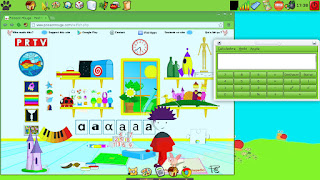
PicarOS is a MiniNo GNU/Linux system that, while being fully packed with lots of applications, is easy on your computer's resources. Since it is based on MiniNo Ártabros 2.0, it is able to run on systems with 1.0 GHz processors and 256 MB of RAM. You will need at least 8GB to install it, but PicarOS can run off the DVD on live mode.
According to its developers, PicarOS (a word meaning "rascals" or "rogue" in Spanish), is meant for children in elementary school. You can tell by its design and appearance that it was made with kids in mind. While the system is loading, you'll hear a funny, cartoonish tune that will make you think: "here come the kids!". Then, once PicarOS loads, its big, colorful icons will show the effort of its developers to make a system that children may find attractive. If I had had a computer running something like this during my childhood, I would know a lot about computing right now!

If you think that appearance is not as important as what a system can actually do, then PicarOS does not fall short in that area, either. It is, in fact, the most complete and amazing collection of learning tools I've seen. It has nearly everything for children to explore and learn: music-creation tools, vocabulary drills, painting programs, educational games...it even comes with simple 3-D tools!
Now, PicarOS is also a full productivity suite. Believe me, I have no problems using it myself: it comes with LibreOffice, Jclic Author, DeVeDe, VLC, Xfburn, Firefox, Chrome and many other applications that I use for work.

In fact, exploring the system, I found Anki, a very handy tool for learning vocabulary. For kids? Not necessarily: I downloaded flashcards for reviewing my Japanese vocabulary and kanji (it includes resources for the Japanese Language Proficiency Test, all levels!) I also downloaded resources for practicing my Korean and an intermediate French vocabulary drill. Along with them, there are many many other resources waiting for you!
 Finally, since seeing is believing, here you can have a look at the official video on Youtube:
I must say that PicarOS really impressed me. Among the systems made for kids that I've tested, this is the best one. I will keep it and I will tell my students about it. Hopefully, they will find a great educational ally in it.
If you want your kids to experience the power and fun of computers as learning and talent-fostering tools, let this little cat (MiniNO, in Spanish) play with them!
PicarOS is a MiniNo GNU/Linux system that, while being fully packed with lots of applications, is easy on your computer's resources. Since it is based on MiniNo Ártabros 2.0, it is able to run on systems with 1.0 GHz processors and 256 MB of RAM. You will need at least 8GB to install it, but PicarOS can run off the DVD on live mode.
According to its developers, PicarOS (a word meaning "rascals" or "rogue" in Spanish), is meant for children in elementary school. You can tell by its design and appearance that it was made with kids in mind. While the system is loading, you'll hear a funny, cartoonish tune that will make you think: "here come the kids!". Then, once PicarOS loads, its big, colorful icons will show the effort of its developers to make a system that children may find attractive. If I had had a computer running something like this during my childhood, I would know a lot about computing right now!
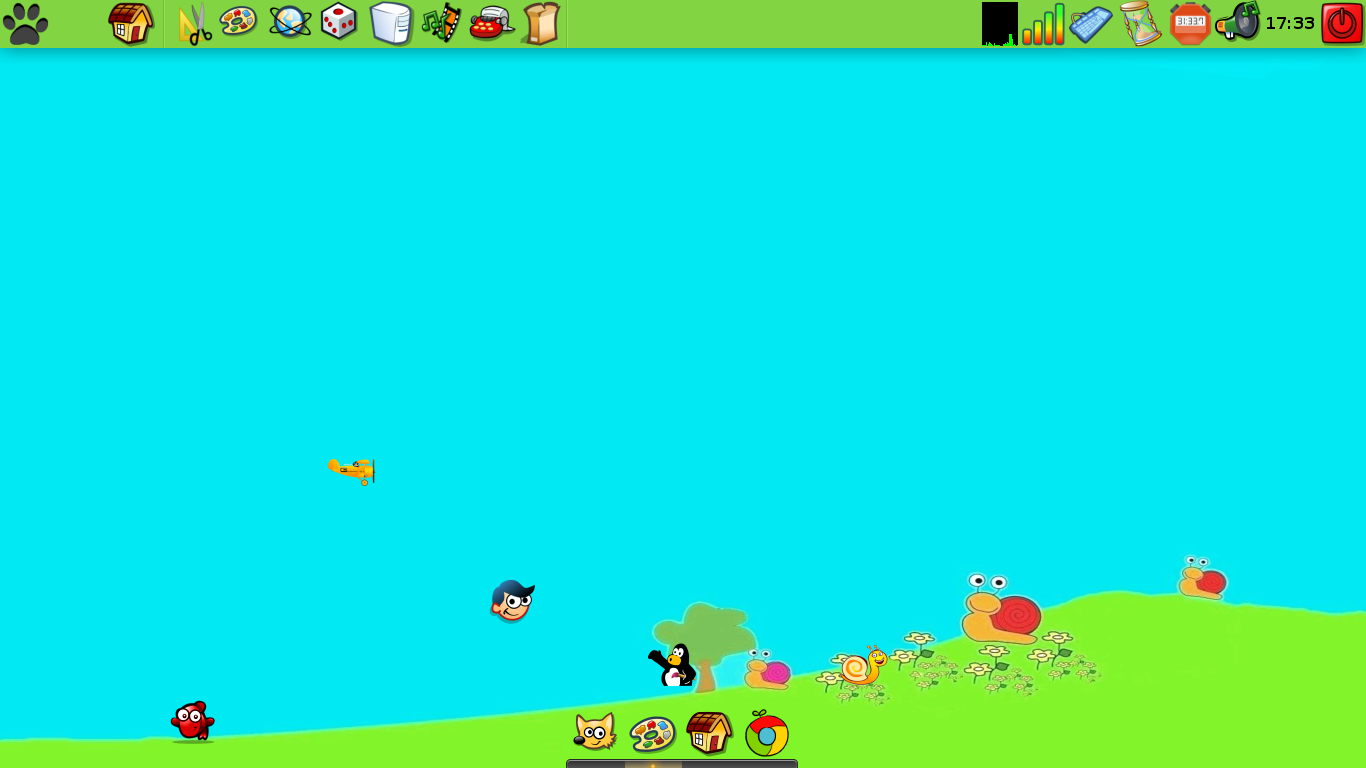
If you think that appearance is not as important as what a system can actually do, then PicarOS does not fall short in that area, either. It is, in fact, the most complete and amazing collection of learning tools I've seen. It has nearly everything for children to explore and learn: music-creation tools, vocabulary drills, painting programs, educational games...it even comes with simple 3-D tools!

Now, PicarOS is also a full productivity suite. Believe me, I have no problems using it myself: it comes with LibreOffice, Jclic Author, DeVeDe, VLC, Xfburn, Firefox, Chrome and many other applications that I use for work.

In fact, exploring the system, I found Anki, a very handy tool for learning vocabulary. For kids? Not necessarily: I downloaded flashcards for reviewing my Japanese vocabulary and kanji (it includes resources for the Japanese Language Proficiency Test, all levels!) I also downloaded resources for practicing my Korean and an intermediate French vocabulary drill. Along with them, there are many many other resources waiting for you!

I must say that PicarOS really impressed me. Among the systems made for kids that I've tested, this is the best one. I will keep it and I will tell my students about it. Hopefully, they will find a great educational ally in it.
If you want your kids to experience the power and fun of computers as learning and talent-fostering tools, let this little cat (MiniNO, in Spanish) play with them!
lunes, 8 de octubre de 2012
Four Games to Increase Your Vocabulary and General Knowledge
Sometimes, in our busy lives, it is necessary to cut ourselves a little slack and play a quick game just for fun. After all, we cannot procrastinate for a long time!
Sometimes, our gaming needs are not very demanding: we don't want great graphics, involving plots, or adrenaline-releasing games...especially when we can barely spare from five to ten minutes to gaming.
Here is when everyone goes to Solitaire, Mah-jongg, or Sodoku.
With the exception of Sodoku, that helps train our number-related skills, the other games don't do much beyond letting us sweetly waste some of our time.
What about playing a quick game and at the same time increasing our general knowledge? What about expanding our vocabulary while playing?
These four games, although not very elaborate, will let you do that.
1. Kanagram

This little game presents you a scrambled word and you must type it correctly. If you can't figure it out, there are hints available. Kanagram comes with lots of categories and since there is no punctuation, there is no pressure!
You can even set the language if you want to practice your vocabulary in a foreign language.
2. Connectagram
This game presents you a set of interconnected anagrams quite like a crossword puzzle. Although you can see the time you've spent playing, there are no time constraints. Scores appear at the end of the game, but you are so caught up with the words that you don't pay too much attention to it.

You have to organize the letters of each anagram to form words in English (no language settings for this one). If you luckily get a word right but don't know its meaning, Connectagram gives you the definition through an online search engine.

In five minutes I learned three new words! Oh, it also has hints to prevent unbearable frustration levels.
3. Ri-Li
This little game puts you in charge of a train. You control the direction that your train takes. While running, your train becomes longer, so you must be careful when planning your next move.

If you complete the level, you are presented with a trivia question on the Declaration of the Human Rights. This is tough!

Since this game may be set in many languages, you can even practice your reading skills in a foreign language!
4. Freevial
This is a tricky Trivia game for the boldest and most daring. I say tricky because, as a good trivia game, its questions are quite hard.

If that does not make you chicken away, then let me say that the game comes in Catalan language.

Now, even if you don't speak Catalan (I don't), you can challenge your knowledge of computers, manga and anime, programming, the Internet, and of course, of Catalan language!

Believe it or not, it's fun!
These four games might not attract the heavy gamers out there, but surely are a fun and educational way to spend a few minutes without worrying about scores or saving states. Sometimes, we play a quick game when we don't have much time...why not learning a bit while doing it, too?
Sometimes, our gaming needs are not very demanding: we don't want great graphics, involving plots, or adrenaline-releasing games...especially when we can barely spare from five to ten minutes to gaming.
Here is when everyone goes to Solitaire, Mah-jongg, or Sodoku.
With the exception of Sodoku, that helps train our number-related skills, the other games don't do much beyond letting us sweetly waste some of our time.
What about playing a quick game and at the same time increasing our general knowledge? What about expanding our vocabulary while playing?
These four games, although not very elaborate, will let you do that.
1. Kanagram

This little game presents you a scrambled word and you must type it correctly. If you can't figure it out, there are hints available. Kanagram comes with lots of categories and since there is no punctuation, there is no pressure!
You can even set the language if you want to practice your vocabulary in a foreign language.
2. Connectagram
This game presents you a set of interconnected anagrams quite like a crossword puzzle. Although you can see the time you've spent playing, there are no time constraints. Scores appear at the end of the game, but you are so caught up with the words that you don't pay too much attention to it.

You have to organize the letters of each anagram to form words in English (no language settings for this one). If you luckily get a word right but don't know its meaning, Connectagram gives you the definition through an online search engine.

In five minutes I learned three new words! Oh, it also has hints to prevent unbearable frustration levels.
3. Ri-Li
This little game puts you in charge of a train. You control the direction that your train takes. While running, your train becomes longer, so you must be careful when planning your next move.

If you complete the level, you are presented with a trivia question on the Declaration of the Human Rights. This is tough!

Since this game may be set in many languages, you can even practice your reading skills in a foreign language!
4. Freevial
This is a tricky Trivia game for the boldest and most daring. I say tricky because, as a good trivia game, its questions are quite hard.

If that does not make you chicken away, then let me say that the game comes in Catalan language.

Now, even if you don't speak Catalan (I don't), you can challenge your knowledge of computers, manga and anime, programming, the Internet, and of course, of Catalan language!

Believe it or not, it's fun!
These four games might not attract the heavy gamers out there, but surely are a fun and educational way to spend a few minutes without worrying about scores or saving states. Sometimes, we play a quick game when we don't have much time...why not learning a bit while doing it, too?
miércoles, 26 de septiembre de 2012
Advantages of Multi Booting

I've been experimenting with several utilities on my little Netbook Toshiba NB-100. Concretely, I plan to use them for educational purposes, once I give them a twist (they have not been planned initially as educational tools!) Yesterday, while I was fiddling with Platinum Arts Sandbox, I must have pressed a weird key combination. This caused the speaker output of my MEPIS 11 system to go mute. Of course, I didn't realize because I usually turn down the computer's master volume to work in my office.
Later, I went to my class. Since I wanted to show a movie to my students, I turned the master volume up...It was then that I noticed I had a very silent MEPIS system!
I didn't have much time left before my class...maybe it was three minutes before it started. Most of my students were there already and I had all the equipment set.
I checked Alsamixer in a hurry and apparently everything was fine (I did not get as far as to check the speaker control). I had no time to investigate...
What did I do?
I rebooted my netbook using Pardus this time. Pardus played the movie without any issue and nobody knew about my previous agony.
After my class, I booted MEPIS again and, since I was not under stress any longer, I quickly found the culprit: that muted speaker! It was solved with a simple click.
This situation made me think about the eternal discussion around multi boot computers and virtual machines, usually fueled by notions of fragmentation vs. wholeness. Many people think "Why bothering with a dual-boot computer? Install the other system as a guest in a virtual machine!"
Now...if I had done that, it wouldn't have helped me much because the output of the virtual sound depends on the sound output of the host system. I would have ended with two beautiful, but silent systems! And what if the host system fails altogether? What good is the virtual system then?
In conclusion, multi boot systems, although fragmented, do have their advantages over those that are hegemonic. Too bad then that Windows 8 will make multi-booting systems more difficult to set up.
viernes, 22 de junio de 2012
Testing Linux in a Serious Environment: My Thesis Dissertation
Some people still believe that Linux and other Open Source software cannot be taken seriously because, in their view, "FOSS is unprofessional."
To find out if that was true, I have tested both Linux and Open Office in rather serious environments, basically placing my head as part of the bet. To finish my degree in Education, I depended solely on Mepis Linux 8.5 and Open Office, which ran on my far-from-powerful netbook Toshiba NB-100. You can find my review of that experience here.
Two days ago, I tested Mepis 11 and Libre Office in another environment that I think my readers will consider quite serious: my final dissertation for my Master's degree. Again, I entrusted my head to a Linux distribution and to a free/libre office suite. Why? Because I really wanted to see it for myself: Was Free Software up to the challenge?
Now, some of the variables of the experiment:
1. My Toshiba NB-100 did not come preloaded with Mepis 11. It was "designed for Windows XP" but I turned it into a 6-OS-booting monster.
2. My NB-100 barely has 1 GB of RAM.
3. Mechatotoro was controlling the presentation (he is not a regular Mepis user).
4. I made the Libre Office presentation on my desktop computer and loaded it to my netbook.
5. The presentation had plenty of 3-D transitions and KDE desktop effects were enabled.
My dissertation began. Mepis did not have any obstacles to use the projector and I had no unnecessary delays or surprises. It was as if my modest Toshiba NB-100 were actually designed for Linux! Too bad that Surface, the new Microsoft tablet (designed for Windows 8) did not do as well during its introduction. People are talking about that already!
LibreOffice handled the presentation flawlessly. The effects were neat and did not cause my system to freeze:
This is the effect "Rochade" in action:

Here you have "Turning Circles":

This one is "Turn":

Once again I exposed myself to public embarrassment if either Linux or Libre Office had failed but instead I got praised. Someone told me later that the presentation was smooth and it helped my audience and committee follow my dissertation without any issues or interruptions. That's the goal of using technology in these circumstances, right?
In conclusion, Linux and Open Source Software were used again in a serious, professional environment and their performance was excellent. I've seen XP, Vista and 7 failing during presentations and thus embarrassing the speaker. However, some still insist that it is Linux the one that is not professional. What a paradox!
To find out if that was true, I have tested both Linux and Open Office in rather serious environments, basically placing my head as part of the bet. To finish my degree in Education, I depended solely on Mepis Linux 8.5 and Open Office, which ran on my far-from-powerful netbook Toshiba NB-100. You can find my review of that experience here.
Two days ago, I tested Mepis 11 and Libre Office in another environment that I think my readers will consider quite serious: my final dissertation for my Master's degree. Again, I entrusted my head to a Linux distribution and to a free/libre office suite. Why? Because I really wanted to see it for myself: Was Free Software up to the challenge?
Now, some of the variables of the experiment:
1. My Toshiba NB-100 did not come preloaded with Mepis 11. It was "designed for Windows XP" but I turned it into a 6-OS-booting monster.
2. My NB-100 barely has 1 GB of RAM.
3. Mechatotoro was controlling the presentation (he is not a regular Mepis user).
4. I made the Libre Office presentation on my desktop computer and loaded it to my netbook.
5. The presentation had plenty of 3-D transitions and KDE desktop effects were enabled.
My dissertation began. Mepis did not have any obstacles to use the projector and I had no unnecessary delays or surprises. It was as if my modest Toshiba NB-100 were actually designed for Linux! Too bad that Surface, the new Microsoft tablet (designed for Windows 8) did not do as well during its introduction. People are talking about that already!
LibreOffice handled the presentation flawlessly. The effects were neat and did not cause my system to freeze:
This is the effect "Rochade" in action:

Here you have "Turning Circles":

This one is "Turn":

Once again I exposed myself to public embarrassment if either Linux or Libre Office had failed but instead I got praised. Someone told me later that the presentation was smooth and it helped my audience and committee follow my dissertation without any issues or interruptions. That's the goal of using technology in these circumstances, right?
In conclusion, Linux and Open Source Software were used again in a serious, professional environment and their performance was excellent. I've seen XP, Vista and 7 failing during presentations and thus embarrassing the speaker. However, some still insist that it is Linux the one that is not professional. What a paradox!
viernes, 6 de abril de 2012
Apple Malware and Security

Yesterday, I read an interesting article about "Flashback" malware infecting about half a million Apple computers.
While this is not new--Apple computers have been infected with malware before--, the article mentioned three elements that made the infections possible:
1. Apple's software management
When Oracle detected the problem, they issued a vulnerability fix. This fix, however, did not reach Apple users immediately because Apple keeps a tight control of its software. The official fix by Apple was issued two months after Oracle's. Two months is quite a long time, and even if you think it isn't, please remember that not all users apply updates as soon as they are ready. Maybe this is why 500,000 Apple computers are still infected. Of course, half a million computers may seem a very modest botnet compared to Windows botnets, which this year may reach about 10% of all Windows systems according to a Damballa Threat Report, but it is still a lot of computers.
2. Naivete of computer users
According to the article, the malware disguised itself as a Flash Player update. This means something like "If you want to watch this video, you must install this Flash Player update first." When users "updated" their Flash Player, they got a Flashback infection instead. Until when will computer users be easy victims of such social engineering tricks? The problem I see is that the current tendencies in computing are actually making users more and more naive. Now they just want to use the computer without thinking. That is horribly dangerous from my perspective. Any activity a person does without thinking is dangerous. If you don't want to use your brain, someone will use his/hers and will take advantage of you. If you don't want to take my word, then take a snapshot of the computer's wallpaper of any of your friends, attach any stupid error window message to it, then secretly replace the actual wallpaper with your creation, and see what happens when your friends see it.

At least one of them may fall for it because more and more people are being trained not to use their heads when they get near a computer. That is sad.
3. Overconfidence of users about their systems
Owners of Apple computers tend to believe they are immune to viruses and malware, so they take little precautions when being online. This is also true about Linux users. Again, a system may be rock solid, but the weakest part of security systems is the individual responsible for the security. If you believe that Microsoft, A/V companies, Apple, or Tux are the main, or the sole responsible for your computer security, you are the Achilles Heel of your system. That responsibility is yours!
Some systems may be stronger than others, but you must keep an eye open and learn about your system.
miércoles, 22 de febrero de 2012
If Linux Is Dead...this Is a Zombie Apocalypse!

Linux is dead on the desktop...and it died long ago. Who hasn't heard that?
Apparently, the 1,500 school children whose happy faces could not hide the illusion of using a laptop for the first time didn't. They just received their own Linux-powered computers...wow! That's a lot of dead computers!
True...1,500 dead PCs is far too modest to worry about...but the total number of Linux computers that the government will give to students for educational purposes is 25,000! Whoa! Now, that is more than enough to call it a zombie apocalypse!
In other words, a minimum of 25 thousand children will use Linux without even knowing it--just as the student who asked me if I could let her use my netbook to do her registration process at the university--to start their learning about computers.
This is a desperate situation! Dead computers are about to attack the youngest generation in my country! These poor children might even start looking for the dead programs they use at school in other computers...can you picture it? They will look for alive computers and might even prey on them! Furthermore, these kids are going to grow up as mini-zombies unable to think and choose for themselves as we adults do--especially when it comes to computers--because a dead OS will eat their brains up!
The world is about to end!! HELP!!!
jueves, 29 de septiembre de 2011
Winds of Change...

Last week, my university approved the use of open source software officially and adopted Open Document Format (ODF) as its standard. The TV news even covered the decision!
Yesterday, two ex-students greeted me with the words "Professor, we need Linux!" and one of them offered to leave her laptop with me to get it fueled by Tux as soon as possible.
Today, another professor told me that he has been looking for vendors who offer PCs with Linux pre-installed in my country.
Slowly, more people will get the chance to try different tech-related options...with a bit of luck, they might even realize that their freedom has been restricted and a number of them may want to take it back...
That would be great! The more informed individuals are, the more difficult it will be for big companies to force their customers to accept poor deals "because that's how computers work."
domingo, 11 de septiembre de 2011
Linux Is Dead...and My Students See Dead Linux!
Yesterday, I took my little netbook to my second Japanese class (the course started last week).
When I booted Mepis 11, I remembered that last course, one of my students had asked me "teacher, is that Linux?", so I wondered if one of my new students would ask me the same question...
But no, this time it didn't happen. Things were a bit different.
Some of my students grinned when they saw my system projected on the whiteboard. Evidently, they recognized it was not Microsoft's doing...
And then, came the question...
No, it wasn't "teacher, is that Linux?"
This time, the question was "teacher, what Linux distribution is that one?"
Right...Linux is dead. So dead that nowadays I seem to encounter more people who know about it. True, they are not counted by millions, but this shows that the hegemony of Windows is not as solid as it used to be.
This is something educational institutions should pay attention to. The era of "you need MS this and MS that to view this page" is reaching its end. Educational institutions should notice that more students, maybe a minority, don't play by MS standards. As with all minorities, their right must be respected.
When I booted Mepis 11, I remembered that last course, one of my students had asked me "teacher, is that Linux?", so I wondered if one of my new students would ask me the same question...
But no, this time it didn't happen. Things were a bit different.
Some of my students grinned when they saw my system projected on the whiteboard. Evidently, they recognized it was not Microsoft's doing...
And then, came the question...
No, it wasn't "teacher, is that Linux?"
This time, the question was "teacher, what Linux distribution is that one?"
Right...Linux is dead. So dead that nowadays I seem to encounter more people who know about it. True, they are not counted by millions, but this shows that the hegemony of Windows is not as solid as it used to be.
This is something educational institutions should pay attention to. The era of "you need MS this and MS that to view this page" is reaching its end. Educational institutions should notice that more students, maybe a minority, don't play by MS standards. As with all minorities, their right must be respected.
jueves, 1 de septiembre de 2011
25,000 Children Are about to Learn Sugar!

Good news today! I read in the news that the Ministry of Education in my country is about to provide 25,000 laptops for several elementary schools in two years. These laptops are the XO-1 models by the project OLPC (One Laptop Per Child).
The news had written "Top Notch Technology" as a subtitle for the section that described Sugar, the OS of these computers. It also mentioned "fomenting critical thinking." Nice!
What does this mean? Simply put, that 25,000 kids are about to learn computing without Windows. Their first computing experience will be with Sugar, a Linux-based OS. Add that to all the kids who are nowadays using Android and what do you get? A new generation of kids for whom Redmond's OS is not necessarily THE Operating System.
Of course, I'm expecting Microsoft to retalitate...let's see how long it takes! :P
Suscribirse a:
Entradas (Atom)